Now in beta on TestFlight
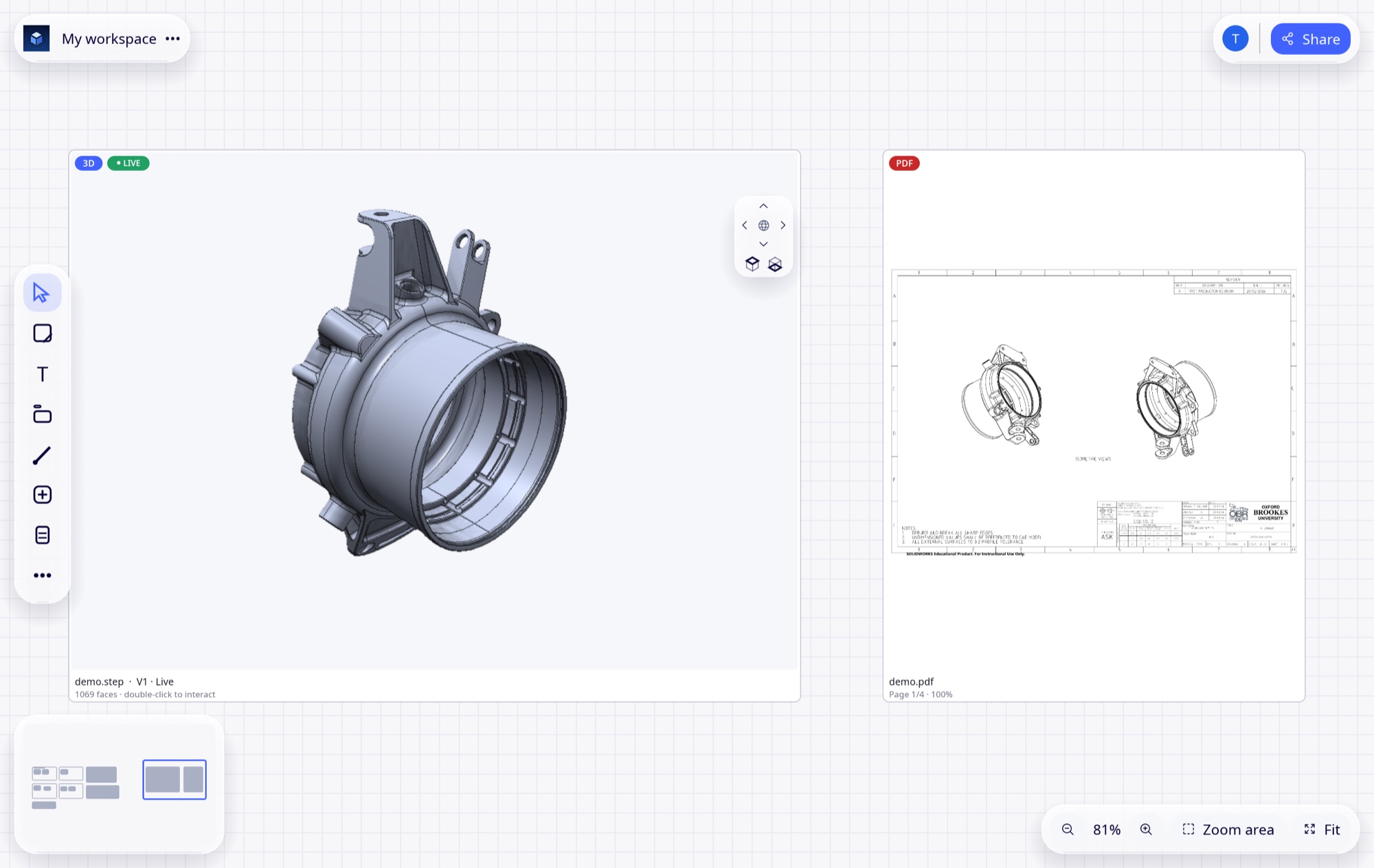
Engineering projects, organized together.
Ensemble puts your team, your 3D models and your project plan in one workspace — so reviews end in decisions, and decisions end up in the schedule.
Ensemble puts your team, your 3D models and your project plan in one workspace — so reviews end in decisions, and decisions end up in the schedule.
Runs where your team works
Most teams stitch together a chat, a CAD viewer, a drawing folder and a task board. Ensemble is the one place where all of it meets.
Everyone works on the same live canvas. Comment on the exact spot, mention people, present to a client or a supplier.
Real STEP models with analysis built in: mass properties, wall thickness, mold draft, stock, sheet metal and exact version comparison.
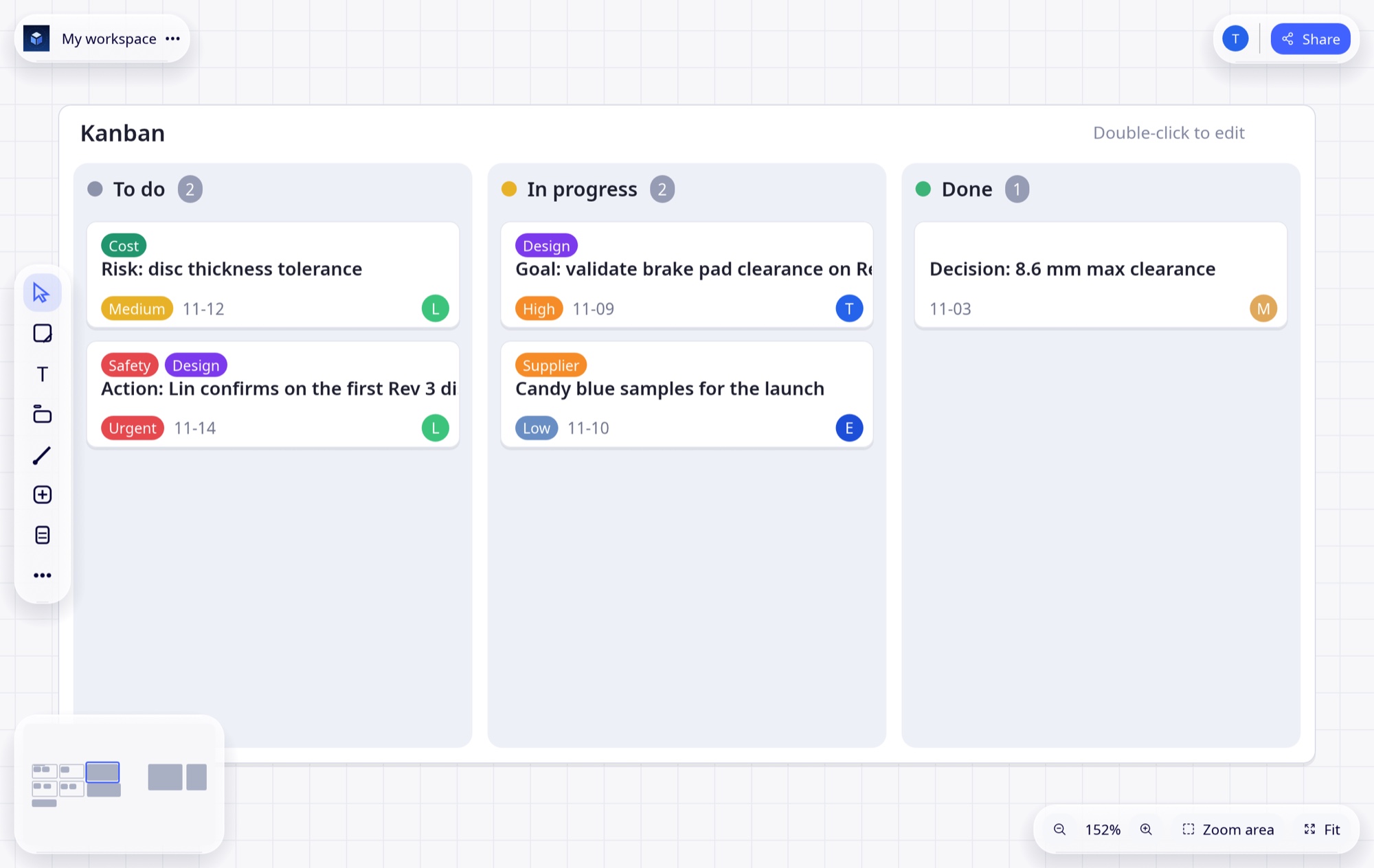
Notes, decisions and risks become tasks. Tasks feed a Kanban board and a Gantt chart automatically.
Pick a use case, a role or an organization and see exactly how Ensemble handles it.
Review the part, the drawing and the decision in the same place.
Learn more →Find thin walls, undercuts and costly stock before the drawing is released.
Learn more →See exactly what changed between two revisions of a part.
Learn more →Show your customer exactly what you want them to see — nothing else.
Learn more →Send suppliers the model, the drawing and the questions in one link.
Learn more →Spot material and process cost while the design can still change.
Learn more →Keep the evidence of what was decided, by whom, on which revision.
Learn more →Every file keeps its history. Every link says which revision it shows.
Learn more →Review, compare and present your designs without leaving the model.
Learn more →Check manufacturability early, with the same model design is using.
Learn more →Weights, stock and open actions, without asking engineering for a file.
Learn more →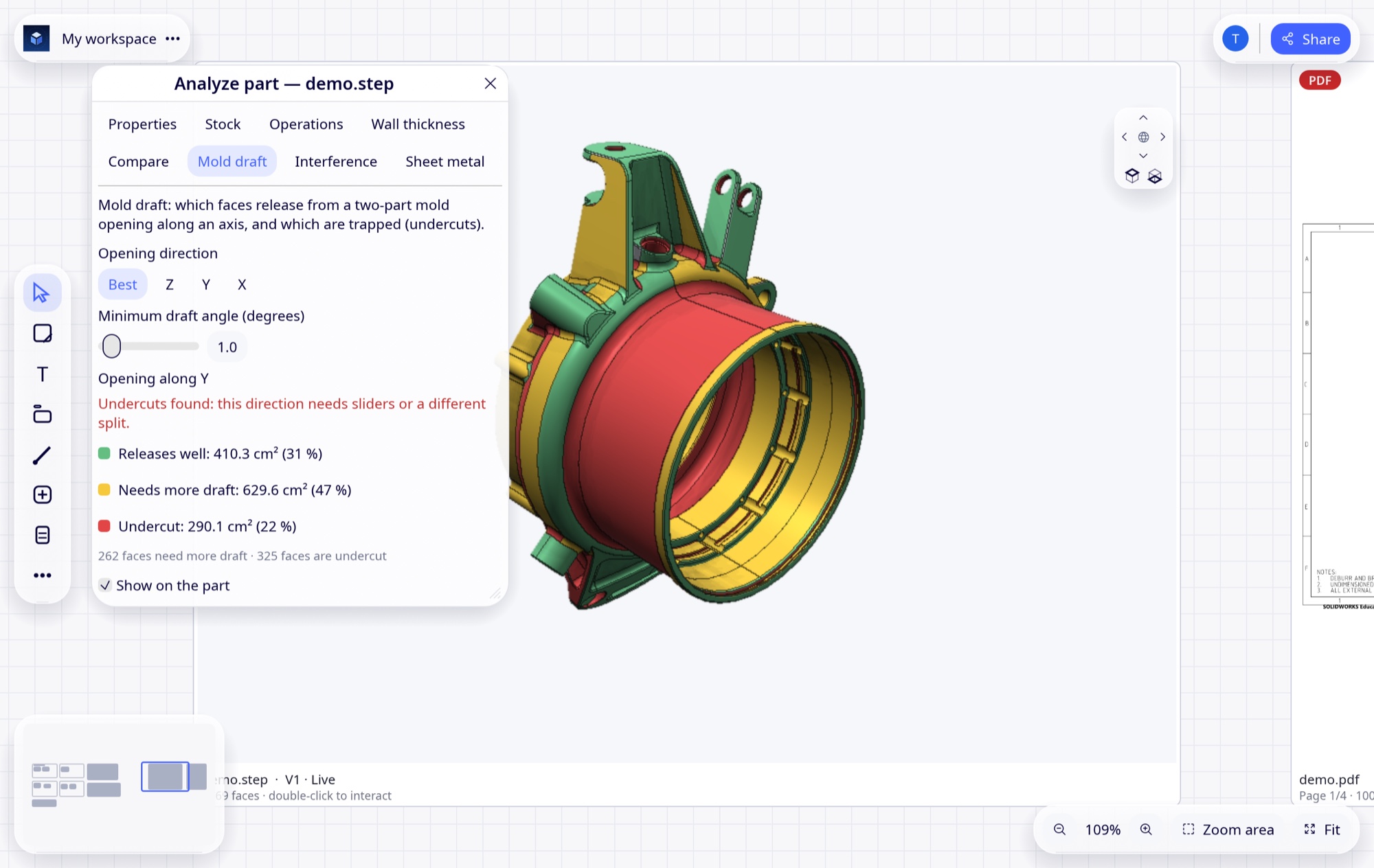
Open a STEP file on the canvas and analyze it where your team is already talking about it.
Mark a risk, a decision or an action on a note and it shows up in the Kanban board and the Gantt chart. No retyping, no stale status meeting.
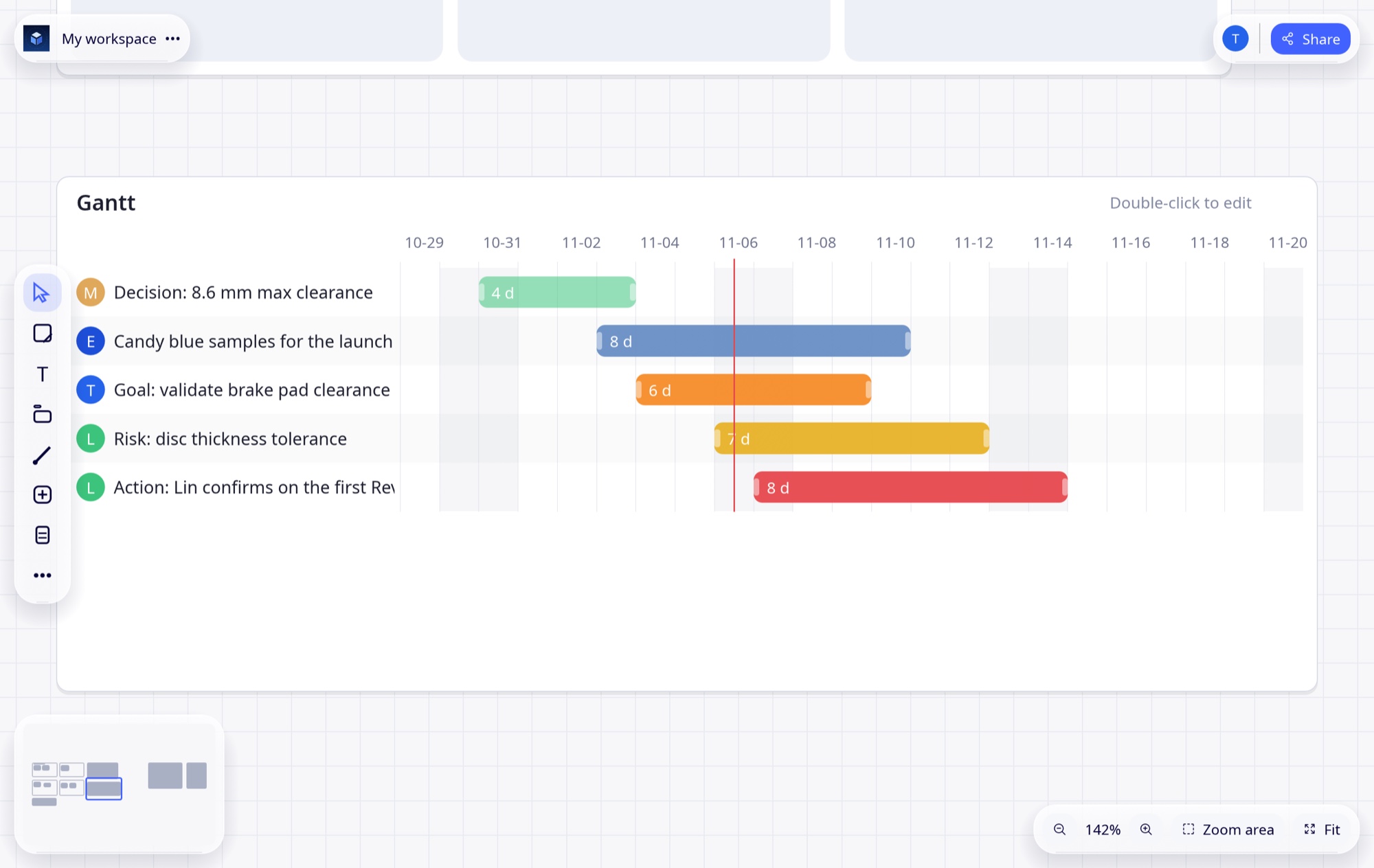
The Gantt chart reads straight from the same notes your team is already working in, with owners, durations and today’s date marked.
Open the same model in virtual reality. Grab it with one or both hands, scale it to full size and review it with your team standing around it.
VR capture coming soon
Ensemble works fully on your own device, offline. When it is time to collaborate, move a workspace to our cloud or to a server you host yourself.
Personal use never needs an account or a connection, and is free.
Run your own company server on Windows, Mac or Linux. Free, and the files never leave your network.
Or let us host it. Invite guests who view for free; give editors a seat when the team needs to build together.
| Platform | App | Server | 3D viewer | Status |
|---|---|---|---|---|
| iPad / iPhone | ✓ | — | ✓ | Beta (TestFlight) |
| Mac | Soon | ✓ | ✓ | Server available · app in preparation |
| Windows | Soon | ✓ | ✓ | Server available · app in preparation |
| Linux | — | Soon | — | Server package in preparation |
| Meta Quest 2 | — | — | ✓ VR | Viewer (on request) |
Join the early-access beta and tell us what your team needs next.